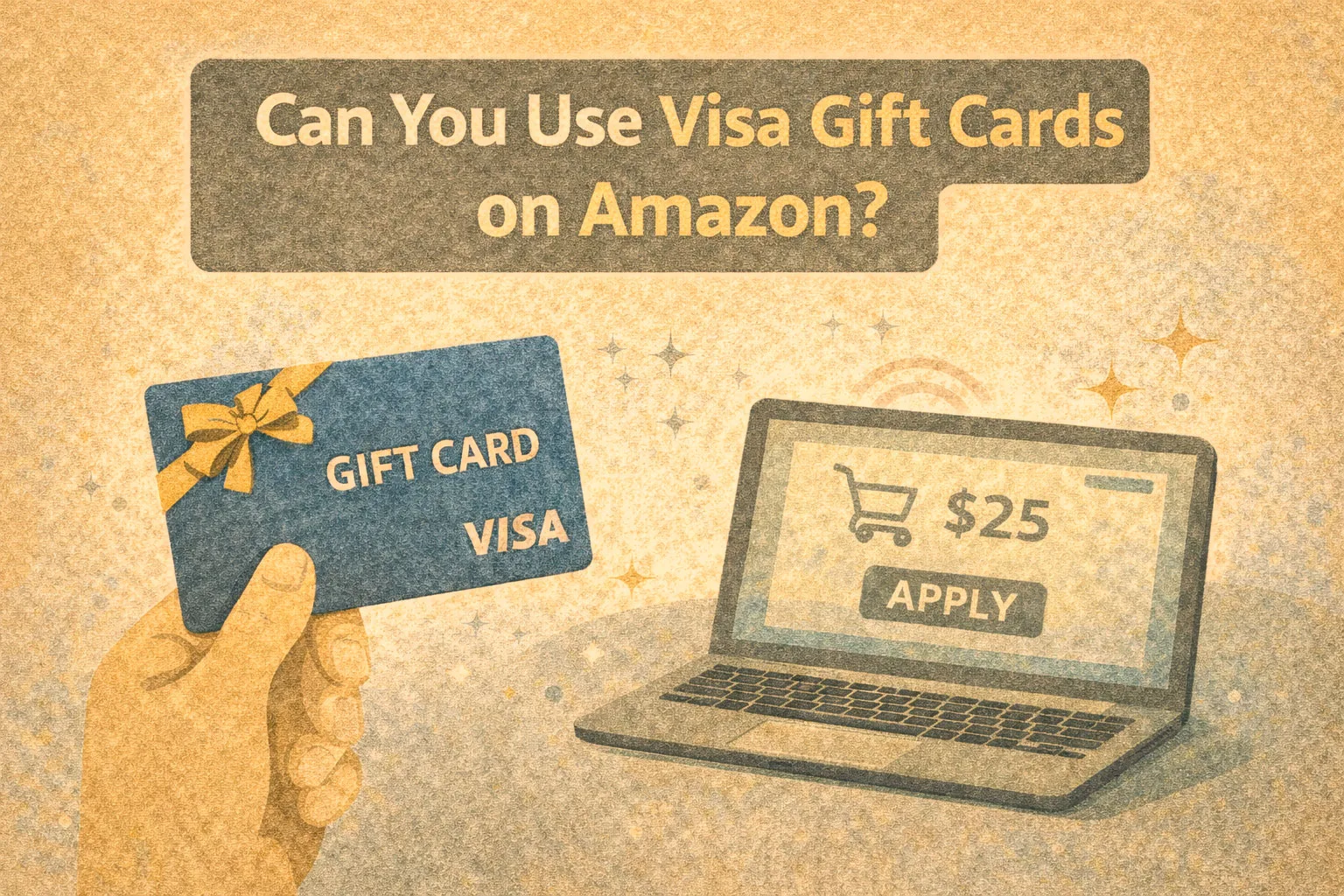
Short answer: Yes — but there are caveats.
Visa gift cards can be used on Amazon, but the process isn’t always intuitive. Many shoppers expect a seamless experience, only to face unexpected declines, confusing errors, or payment restrictions. At FinUXlab, where we specialize in UX research and loyalty program analytics, we see this as more than a technical issue — it’s a case study in how subtle UX oversights can undermine trust and conversion at checkout.
Let’s walk through the how-to, the common pitfalls, and the broader user experience lessons every digital retailer should learn from.
At FinUXlab, we conduct in-depth research on the UX strengths and weaknesses of digital giants like Amazon. Explore our other articles for insights into what works — and what still gets in the way: Does Walmart Sell Amazon Gift Cards? What You Need to Know,
Does Walgreens Sell Amazon Gift Cards?
Quick Answer: Yes, But Not Without a Few Tricks
Amazon does accept Visa gift cards — but not as Amazon gift cards.
These are prepaid debit cards and must be treated like credit cards within Amazon’s system. That means:
- You must register the card with a billing address via the card issuer’s website.
- You’ll need to add it as a payment method under your Amazon account.
- If your order total exceeds the balance on the card, the transaction will fail — because Amazon doesn’t support split payments with debit/gift cards.
Many users searching for “can you use Visa gift cards on Amazon” are responding to this exact pain point: the process isn’t obvious, and the experience often results in unnecessary friction.
How a Visa Gift Card Works on Amazon
A Visa gift card works much like a regular credit or debit card when used online — including on the Amazon platform. Once the visa gift card is activated, it can be added as a payment method during checkout. However, in order to successfully use a Visa gift card on Amazon, users often need to first register a billing address with the card issuer and ensure that the card balance exactly matches the total purchase amount. Since Amazon doesn’t allow split payments with another credit or debit card, many shoppers choose to buy an Amazon gift card for the exact amount and apply it to their Amazon gift card balance.
This simple payment option is commonly used to make purchases on Amazon, especially for those who receive prepaid cards as gifts or rewards. Just remember to treat it like a Visa debit or credit card, enter all gift card information correctly, and check the number on the back if you ever need to call the customer service number. There are many ways to use a Visa card online — but on Amazon, it takes a few extra steps to ensure the card is accepted.

Step-by-Step Guide: How to Use a Visa Gift Card to Shop on Amazon
If you’re wondering how to use a Visa gift card on Amazon, you’re not alone. This step-by-step guide shows exactly how to add a Visa gift card as a valid payment method on Amazon, avoid common errors, and get the most from your prepaid Visa card.
1. Check the Balance on Your Visa Gift Card
Before you begin, verify the balance on your Visa gift card by visiting the issuer’s website (such as Vanilla or Metabank). The card number and possibly the expiration date (shown on the card) will be required. Without knowing the exact remaining balance, your attempt to make purchases on Amazon may fail.
2. Register the Card Issuer’s Address
Most prepaid Visa gift cards need to be linked to a billing address before they’re accepted as a payment method on Amazon. This can usually be done by logging into the provider’s portal listed on the back of the card.
If you skip this step, Amazon may reject the card because the card information is incomplete.
Tip: This also ensures that the Visa gift card is activated for online use.
3. Add Your Visa Gift Card as a Payment Method on Amazon
Now, navigate to the Amazon website or mobile app, go to “Your Payments”, and add a payment method – add your Visa gift card under the credit and debit cards section.
Treat it like you would any other credit card or debit card — enter the name on the card, card number, and expiration date, payment option, and use the previously registered billing address.
This is not the same as redeeming an Amazon gift card — you’re adding a Visa gift card to make purchases like a regular credit or debit card payment.
4. Avoid Overspending: Know Amazon’s Limitations
Amazon does not allow split payments by default. That means if your order total is even a penny more than the card balance, the transaction will fail.
The easiest workaround?
Use your Visa gift card to buy an Amazon gift card (e.g., $25.00), which adds to your Amazon gift card balance. That way, the full value is preserved and applied automatically at checkout.
5. Be Aware of Inactivity and Expiration
Some Visa gift cards may start deducting fees if unused for more than 12 months. Always check the expiration date and reload policies with the card issuer.
Cards that aren’t used in time risk becoming unusable — especially when balances are low and purchases can’t be completed.
6. Pro Tips for Using Visa Gift Cards on the Amazon Platform
- Use the gift card quickly to avoid forgetting the balance.
- If you’re making a purchase larger than the gift card value, use the balance to purchase an Amazon gift card first.
- Keep a record of the card issuer’s address and the customer service number in case there’s a problem during checkout.
Why So Complicated? A UX Perspective on Payment Flexibility
This isn’t just a technical quirk. It’s a fundamental UX oversight that becomes visible at scale — and it reveals how even the world’s largest retailers can underinvest in payment design for “edge cases” that aren’t so edge after all.
At the heart of the issue is a mismatch between user expectations and system behavior, violating the classic UX heuristic of “match between system and the real world.” In this case, the system (Amazon’s checkout process) doesn’t reflect the user’s mental model: most shoppers believe that a Visa-branded card should work like any other Visa card, regardless of whether it’s a prepaid gift card, a reloadable debit, or a traditional credit line.
This assumption is not just intuitive — it’s socially reinforced. Retailers, gas stations, and even airlines accept Visa gift cards with few constraints. The moment Amazon treats them differently — by disallowing partial payments, rejecting unregistered cards without clear messaging, or excluding them from auto-saved methods — the friction feels arbitrary and frustrating.
And this friction is far from niche.
According to data from the Mercator Advisory Group, over $3 billion in value was left unspent on gift cards in the U.S. in 2022 alone — much of it due to poor redemption UX, partial balances, and forgotten cards. Visa gift cards specifically are among the most commonly sold prepaid cards in major pharmacies and supermarkets — yet Amazon’s interface treats them as second-class citizens.
Moreover, Google search data shows that thousands of users per month look up phrases like:
- “can you use visa gift cards on amazon” (3,600/month)
- “how to use visa gift card on amazon” (6,600/month)
- “amazon gift card not working” (1,900/month)
These aren’t casual curiosities — they’re signals of design debt at the payment layer, where confusion leads to checkout abandonment, support requests, and lost trust.
“When systems don’t align with user mental models, friction arises.”
— FinUXlab Principle of Payment UX Design
The bigger issue? Amazon’s failure to proactively design for prepaid cards may be costing them millions in unrealized transactions annually. And from a loyalty standpoint, a failed payment leaves a deeper scar than a missed promotion or late delivery. It disrupts the sense of agency and trust at the most sensitive point in the user journey: conversion.
If Amazon — with its immense UX talent and infrastructure — hasn’t fixed this yet, it’s likely because payment UX is still treated as a backend concern rather than a frontline loyalty driver. But users don’t see the distinction. They only see a card that doesn’t work — and a brand that didn’t care enough to explain why.
Comparative UX: Amazon vs. Other Retailers
Let’s benchmark how Amazon handles Visa gift cards against its major retail competitors.
| Retailer | Accepts Visa Gift Cards | Split Payment Support | Ease of Use (UX) |
|---|---|---|---|
| Amazon | ✅ Yes | ❌ No (by default) | ⚠️ Medium |
| Walmart | ✅ Yes | ✅ Yes | ✅ High |
| Target | ✅ Yes | ✅ Yes (in-store only) | ⚠️ Mixed |
| Apple | ✅ Yes | ❌ No | ❌ Low |
Amazon’s approach is efficient for traditional credit/debit cards but creates barriers for less conventional instruments like prepaid cards — despite the fact that search volume for this topic remains high.
Micro-Barriers Create Macro-Churn
At FinUXlab, we’ve observed a consistent pattern in e-commerce platforms: small payment issues often have outsize impact on loyalty.
- Checkout errors lead to cart abandonment.
- Lack of transparency erodes trust.
- One failed gift card transaction can deter a user from shopping again — even with a loyalty incentive in place.
These are not fringe cases. Based on Google data, over 3,600 people search monthly for “can you use visa gift cards on amazon.” That’s a real cohort of confused, potentially dissatisfied users.
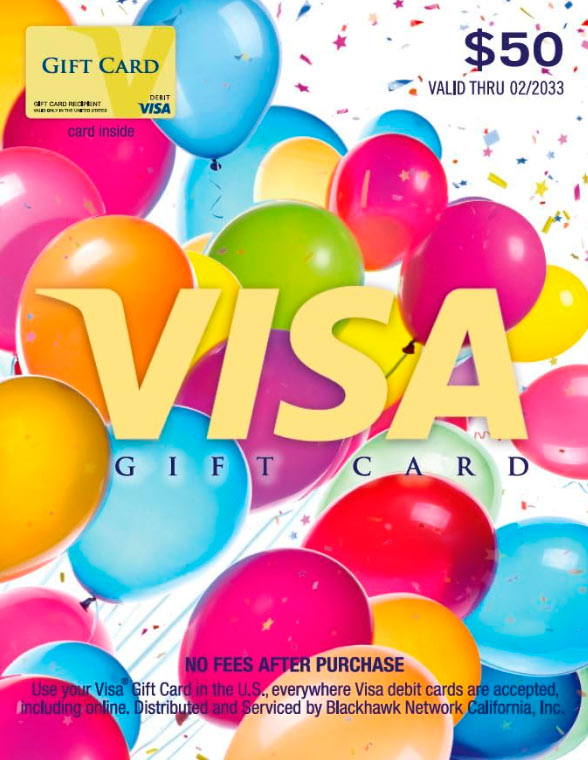
This feedback was collected during our field UX study involving users attempting to use a Visa gift card on Amazon as their primary payment method.
“Honestly this was so frustrating. I got a $50 Visa gift card to shop on Amazon and thought it’d be easy — it’s a Visa, right? But no. I tried to add a visa gift card as a payment method and it kept getting declined. No reason, no error message. Just ‘couldn’t process payment.’ I had to Google like five things to even figure out how to use a visa gift card on Amazon. Turns out I had to register it with the address and even then I couldn’t buy what I wanted because my total was $52. Amazon wouldn’t let me pay the $2 difference with another payment method. Like… what?? It’s 2025 and I can’t combine two cards? Had to buy an Amazon gift card with my Visa card just to get it to work. This whole thing took an hour and made me feel like an idiot. Never again.”
FinUXlab Expert Comment:
This user’s experience reflects a textbook example of what we call a “false exit” — a point in the journey where a valid intent to convert is abandoned due to unnecessary friction. The platform offers the gift card option, but fails to communicate how Visa gift cards work, what steps are required to add a credit card, or how to handle mixed payments. These aren’t edge cases — they’re predictable needs in any modern checkout flow.
From a UX strategy perspective, each of these drop-off points is an opportunity to earn trust — or quietly lose it.
What Amazon Could Do Better: UX Recommendations
Amazon already offers best-in-class personalization and delivery UX — but payment flexibility lags behind.
UX fixes we recommend:
- Add inline prompts explaining why a card was declined.
- Allow split payments with Visa gift cards and other methods.
- Provide tooltips or onboarding when users add prepaid cards.
- Create a dedicated gift card help flow, surfaced automatically for detected prepaid cards.
Real Users, Real Struggles: What Reviews and Forums Say
“My $50 Visa gift card kept getting declined even though I had money on it.”
— Amazon Community Post
“Why can’t I use the leftover $3 on my gift card? Such a waste.”
— Reddit user
Across forums, we see recurring themes:
- Poor error messaging.
- Inflexible payment processing.
- Lack of guidance for “non-traditional” cards.
These signal UX debt — and missed opportunities for deeper customer engagement.
FinUXlab Expert Insight: Payment UX is Loyalty UX
“When customers feel powerless at checkout, no reward points can fix the damage. Payment UX is where loyalty often begins — or ends.”
— FinUXlab Design Principle
From a loyalty program perspective, trust at checkout is not optional — it’s foundational. Payment is the final moment of decision. If the process fails or feels confusing, no post-purchase discount, loyalty tier, or email nudge will undo the damage. A user who struggles to pay is unlikely to convert — and even less likely to return.
This is especially true for first-time or occasional customers, such as gift card users. These users are often more price-sensitive, more task-focused, and more likely to churn if they encounter friction. They aren’t loyal yet — and checkout is your only chance to change that.
Conversely, when payment feels effortless, flexible, and intelligent, it signals brand competence. It creates a sense of control and reassurance — key ingredients in long-term customer relationships. In fact, several of our UX audits show a direct correlation between:
- smooth prepaid card handling, and
- higher repeat purchase intent, especially in seasonal campaigns and gifting flows.
What Can Amazon (and Others) Learn?
Here are three practical UX recommendations that could drastically improve gift card usability and loyalty impact:
- Detect Prepaid Cards Automatically Use BIN (Bank Identification Number) detection to recognize prepaid cards during entry and proactively offer helpful guidance. Example: “It looks like you’re using a prepaid card. Here’s how to get the best experience.”
- Enable Partial Payment Handling Allow users to combine prepaid cards with another method — or use the remaining balance automatically. Even a simple “Use $6.12 left on this card?” prompt would remove a major barrier.
- Integrate Prepaid Usage into Loyalty Flows Currently, users who redeem Visa gift cards feel like second-class citizens — no perks, no prompts, no rewards. Why not offer loyalty points or bonuses for redeeming gift cards during key campaigns? This turns a workaround into an engagement opportunity.
In our experience auditing over 30 loyalty programs, payment UX remains one of the most overlooked drivers of satisfaction. It’s time to move it from the backend to the heart of the experience — where it belongs.
FinUXlab believes loyalty doesn’t begin with a thank-you — it begins with a yes at checkout.
Conclusion: Yes, You Can Use It — But UX Still Has Work to Do
So — can you use Visa gift cards on Amazon? Absolutely.
But the process, while functional, isn’t friendly. This small friction point opens a broader conversation about the role of usability in payment systems, especially as digital wallets and alternative payment methods proliferate.
Amazon has the infrastructure. The next step? Design payment flows that reflect the diversity of how users actually shop.
Summary in Bullets
- ✅ You can use Visa gift cards on Amazon — as a credit/debit card.
- ⚠️ You must register a billing address first.
- ❌ Amazon doesn’t support split payments by default.
- 🛠 Workaround: Buy an eGift card equal to the gift card’s balance.
- 🧠 UX friction stems from mental model mismatch and rigid systems.
- 💡 Improving payment UX boosts loyalty and reduces cart abandonment.
Work With Us: Turn UX Gaps Into Loyalty Wins
At FinUXlab, we specialize in identifying hidden UX friction points that quietly erode trust, loyalty, and revenue — especially in high-stakes flows like checkout and reward redemption.
We’ve audited and improved loyalty ecosystems for leading retailers, fintech platforms, and e-commerce brands. Our methods combine behavioral research, competitive benchmarks, and expert design review to turn weak points into differentiators.
We also host biweekly seminars where our experts unpack the latest findings from real UX audits — including issues like payment flexibility, onboarding drop-off, and the true cost of bad error messages.
Whether you’re a product owner, loyalty strategist, or CX lead, our team can help you design systems that feel effortless, fair, and worth coming back to.
Join our next seminar or contact us to explore how we can support your UX and loyalty goals.